
Data Pottery
Clean and reshape your data — offline.
Transform CSV data locally in your browser. No uploads, no subscriptions, no account needed.
Private. Predictable. Free.
No cloud. No coding. No limits.
Common data transformation scenarios
The Reality
- Your CSV data is in one format but you need it in another
- Cloud tools ask you to upload sensitive company data
- Specialized data tools require expensive licenses
What You Can Do
- Convert CSV exports into JSON test fixtures and mock data
- Transform CSV data between different API schemas and database formats
- Reshape CSV datasets for AI prompts and language model training
What You Get
- Your data never leaves your computer
- Free tool, no subscriptions or hidden costs
- Simple interface, no programming skills required
How Data Pottery works
Data Pottery is a browser-based CSV to JSON converter that runs entirely offline. Transform CSV files, map columns to custom schemas, and export structured JSON without uploading your data to any server.
Works completely offline after initial load. Same input always produces the same output — deterministic transformations, no AI unpredictability.
Three simple steps to clean data
Load your data
Upload CSV files of any size. Your data stays in your browser.
Map fields visually
Create transformations with a visual editor or use formulas for complex logic. Smart pattern matching helps suggest mappings.
Export clean data
Download structured JSON ready for APIs, tests, or other systems.
How to ensure your data is local?
Disconnect and see how it works normally — there's no cloud, it fully relies on your device resources.
If you're a technical person, open the Network inspector and you'll find zero POST requests!
1. Open the app
Click "Try it now" and wait for it to load
2. Disconnect
Turn off your WiFi or go airplane mode
3. It still works!
Upload files, transform data, export JSON
Modern browsers can store data directly on your device, just like a regular app. Once loaded, Data Pottery works completely offline — your files stay private and accessible even without internet.
See it in action
1-minute walkthrough of Data Pottery's key features
View full tutorial with transcript →Desktop Experience
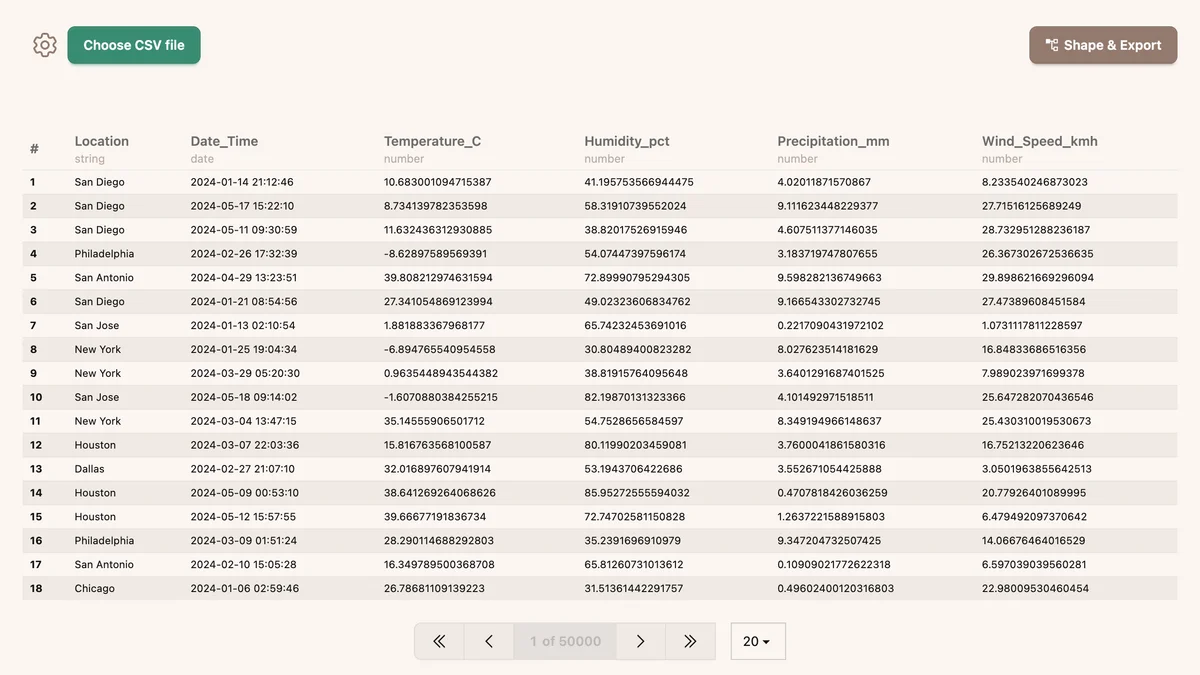
View and paginate through millions of records instantly
Mobile Experience
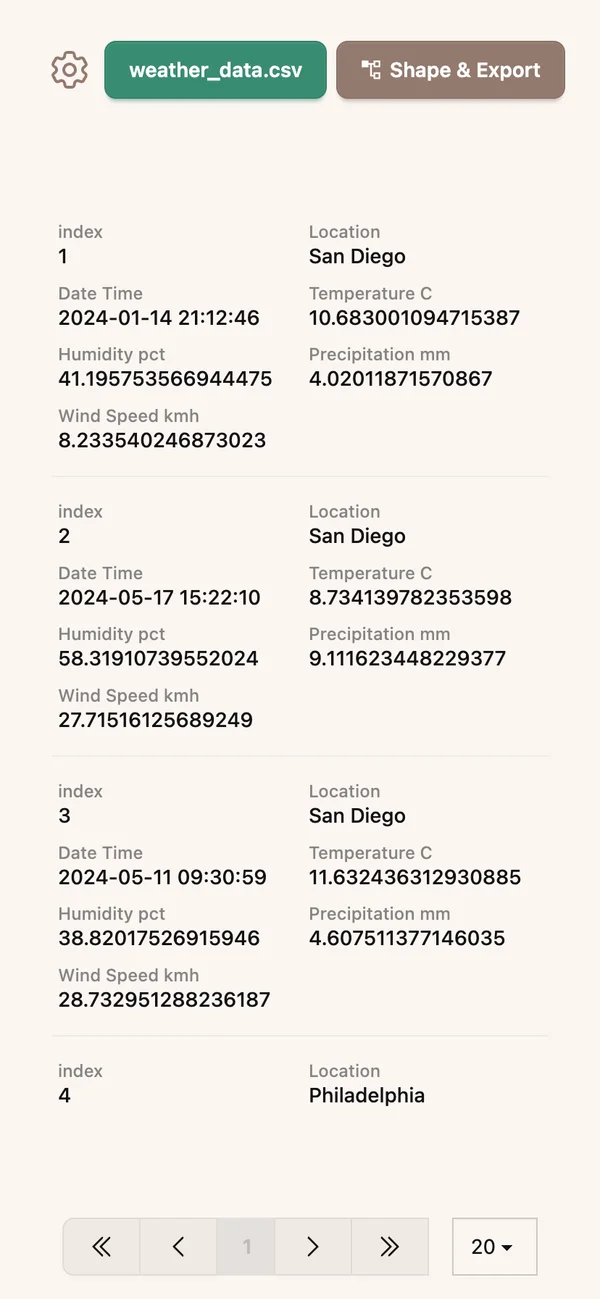
Fully responsive design works on any device
Why Data Pottery?
Keep Your Data Private
No need to upload files to cloud services or give your data to third parties
Use What You Already Have
You already paid for your device — it has enough power to handle your data transformations.
Simple and Reliable
No complex setup. No unpredictable AI. Just straightforward data transformation.
Transform your workflow today
Transform your CSV data locally and privately.
Deterministic transformations. Same input, same output. Every time.
Frequently Asked Questions
Upload your CSV file to Data Pottery, map the fields visually or use formulas for complex transformations, and export as structured JSON. Everything happens in your browser — no server uploads required.
Yes! Data Pottery lets you define custom JSON schemas and map your CSV columns to any structure you need. Perfect for API payloads, database imports, or data migration between systems.
No. Data Pottery runs entirely in your browser. Your CSV files never leave your device. You can even disconnect from the internet after the initial page load and it still works perfectly.
Data Pottery is a free, privacy-first CSV transformation tool that works offline. Unlike cloud services that require uploading your data, Data Pottery keeps everything on your device. It supports visual field mapping, custom formulas, and exports to structured JSON.
Yes. Data Pottery processes large CSV files in chunks to handle big datasets efficiently without consuming too much memory or freezing your browser.
Load your CSV template into Data Pottery, use the transformation features to reshape it into your desired JSON format, and export. Perfect for creating test fixtures, mock API responses, and sample datasets for development.
Yes! Data Pottery is fully responsive and works on phones, tablets, and desktops. The interface adapts to your screen size for comfortable data transformation on any device.
Data Pottery can handle files with millions of rows. The actual limit depends on your device's available memory. Files are processed in chunks to maximize compatibility across different devices.